Design responsive, on-brand emails without fighting HTML or Outlook
Build the message visually, edit images where you use them, refine desktop and mobile layouts, and reuse the brand decisions that should stay consistent. HTML and CSS remain available when an advanced design needs them.
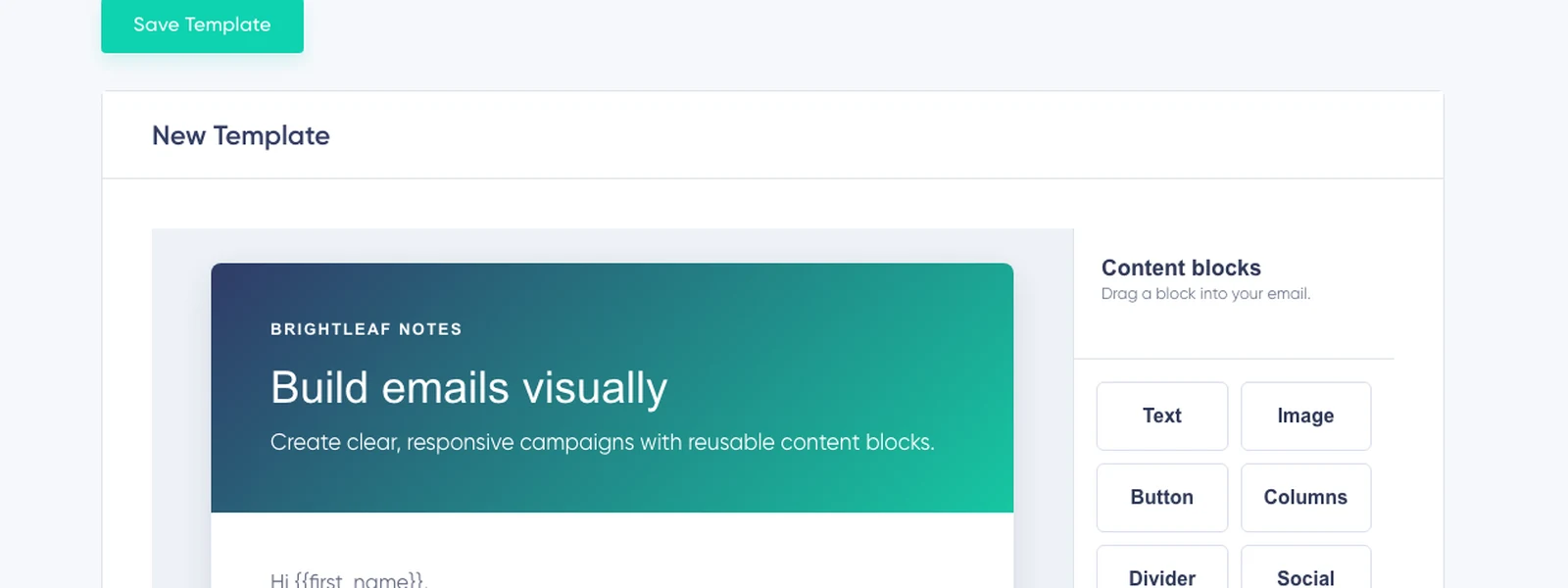
Spend time on the message—not on workarounds
A small team should not need an email developer for every newsletter, announcement, welcome message, or product update. Adjust spacing, typography, colors, alignment, borders, and backgrounds while seeing the real message take shape.
The visual workflow handles ordinary design work. Code is an option, not an entry requirement.
Design Your First Email FreeThe details that usually cost the most time
Edit images where you use them
A last-minute crop or size adjustment should not send you through another application, export, and upload cycle. Crop, resize, and refine images while seeing the surrounding copy, button, and mobile layout.
Make the mobile version deliberate
Preview desktop and mobile layouts, then adjust spacing, button width, headings, and content behavior where the smaller screen needs a different decision. Outlook-oriented controls help handle common client quirks.
Send a test before every important campaign—the final copy, images, links, and inbox clients still matter.
Keep every email recognizably yours
Use global appearance settings and reusable templates to keep typography, colors, buttons, spacing, and common structures consistent—without forcing every message into the same layout.
Explore Email Templates →Design the standard footer once
Use Footer Style to set the background, fonts, colors, and sizes for the standard footer Maildroppa adds to supported emails. A live preview and contrast validation keep the company details, profile link, and unsubscribe link readable.
Subscriber Language controls the account-wide wording of the standard profile and unsubscribe links—it does not translate the email itself.
Correct a tracked link after send
A mistyped destination should not force a second campaign whose only purpose is to repair the first one. When click tracking is enabled, update where future clicks on a campaign link go—the tracked redirect sends later clicks to the corrected destination.
Use code when it adds value
Most emails can be created in the visual editor. When an experienced designer or developer needs more control, open the HTML and CSS view—a practical default without closing the door on advanced work.
Every editor feature is included in Free
The visual editor, responsive controls, image tools, custom HTML and CSS, templates, Footer Style, previews, and personalization are included on every plan.
Design Your First Email FreeFrequently asked questions
Do I need to know HTML?
No. Build complete emails with visual blocks and style controls. HTML and CSS are available when you want advanced control.
Can I edit images inside Maildroppa?
Yes. Use the built-in image tools while you work on the email, so every change can be reviewed in context.
Will the email work on mobile devices?
The editor creates responsive email and provides desktop and mobile previews and controls. Review both versions after adding the final content and send a test before an important campaign.
Can I fix a mistake after sending?
You can correct tracked link destinations after send when click tracking is enabled. You cannot rewrite the subject, visible copy, or design already stored in the recipient’s inbox.
Is the complete editor in the free plan?
Yes. Every editor feature is included on every plan.
Make the next email look like your business—not your email tool
Start from a template or a blank canvas, shape the message visually, and reuse the decisions that should not need to be made again.