Everything you need to grow with email—nothing you have to unlock
Start with a signup form and the next campaign. Add landing pages, Automations, reporting, RSS newsletters, transactional email, Zapier, Make, WordPress, or developer integrations when the business needs them. Every feature is included on every plan.
Start with the job you need to get done
Turn visitors into confirmed subscribers
Build landing pages, embedded forms, popups, and slide-ins in one visual editor. Add copy, images, fields, multi-choice interests, tags, and the signup form itself without writing code. Publish a landing page on a connected subdomain, assign the Signup Flow that controls the after-submit response, Double Opt-in email, and after-confirmation response, and start the wider welcome or lead-magnet journey with an Automation after confirmation.
Send an email people have a reason to care about
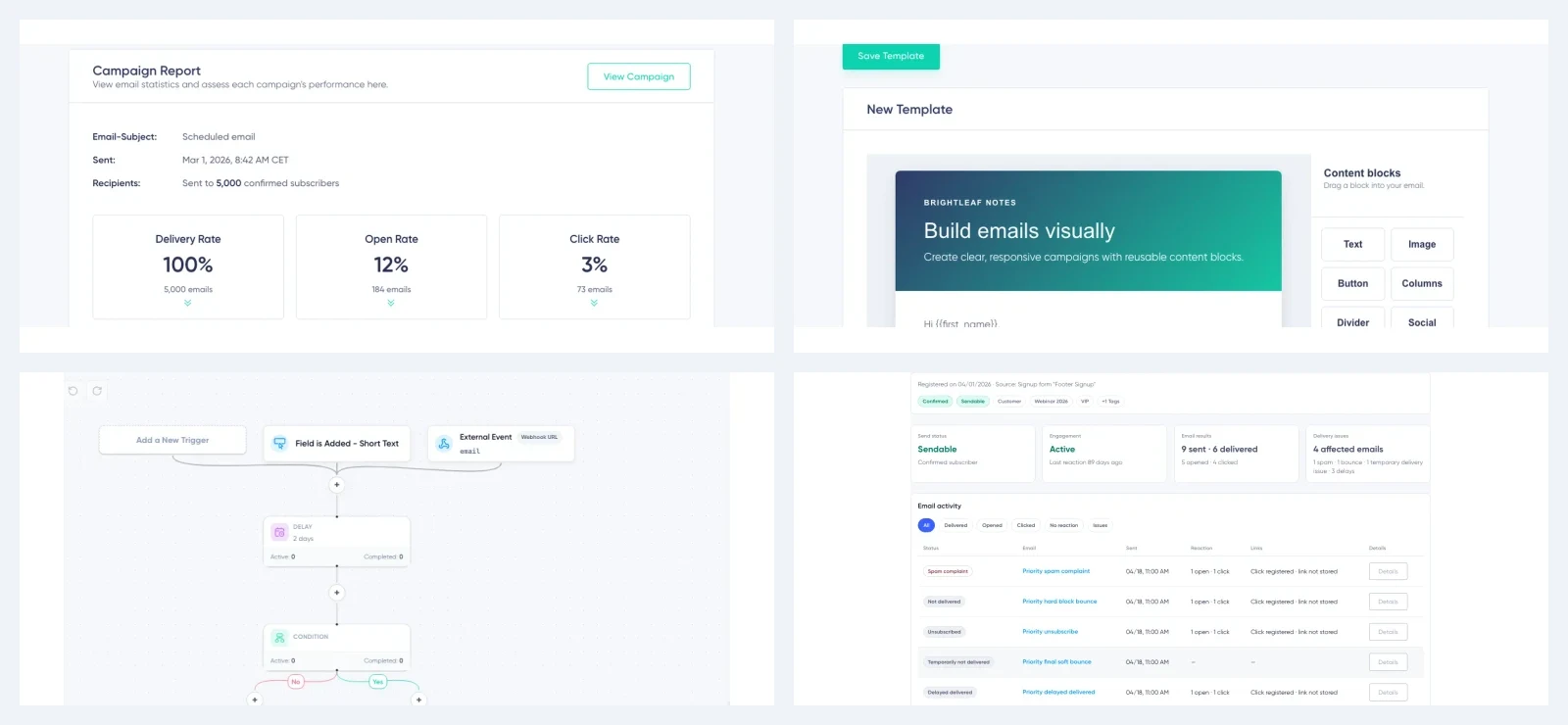
Build a responsive email with flexible blocks, image tools, reusable styles, templates, and desktop and mobile previews. Choose the audience with subscriber data and saved segments, review spam risk, and schedule in the timezone you select. If a tracked destination changes after send, correct where future clicks go.
Follow up without remembering every next step
Create visual Automations for confirmed signups, relevant dates, field or tag changes, custom events, and incoming webhooks. Add emails, delays, conditions, subscriber updates, lead-magnet delivery, and outgoing webhooks where they support the journey. For structural changes, save a new version so existing subscribers can finish the path they entered.
Keep subscriber data useful as the list grows
Use fields for structured values, tags for group membership, and segments for audiences that update as the data changes. Multi-choice fields let one subscriber select several interests instead of forcing an inaccurate single answer. Import CSV or Excel files, add or remove tags for many subscribers in one reviewed operation, and archive fields or tags that no longer belong in daily workflows without immediately deleting their history.
Know what happened after send
Campaign reports show the wider result: deliveries, opens, clicks, bounces, unsubscribes, complaints, and related outcomes. When an aggregate number is not enough, open the individual subscriber report and see which messages were delivered, opened, or clicked—and where a delivery problem changed the subscriber’s status.
Protect future campaigns
Review campaign spam risk before send. Follow account-level deliverability signals in the Health Score. Authenticate the sending domain and inspect bounces, blocks, complaints, and suppressions rather than treating delivery as a black box. Automatic re-engagement gives persistently inactive subscribers an opportunity to stay before they are marked Cold.
These safeguards support healthier sending. They do not guarantee inbox placement.
Multiple sender profiles
The right sender identity for every message
Manage distinct sender names, email addresses, and reply-to addresses in one account. Use each profile with or without its own verified DKIM domain.
Keep brands and teams distinct
Separate products, brands, and conversations without switching accounts or rebuilding sender details before every send.
Pick the right profile for every campaign
Select the sender profile that recipients should see for each campaign and RSS newsletter, so the visible sender and reply inbox match the message.
Change senders inside one Automation
Send the first email from one profile and the next from another—ideal for brand handoffs, personal follow-up, or messages from different teams.
Choose the right trust setup
Connect a verified DKIM domain where you want your own authenticated sending identity, while keeping profiles without a custom DKIM domain available when that fits the use case.
Connect without rebuilding the systems that already work
Use the integration path that fits the team and the workflow.
Zapier
Connect Maildroppa to the apps already in your workflow and automate subscriber, tag, field, segment, and Double Opt-in work without code.
Make
Build visual multi-step scenarios and connect Maildroppa to a wider no-code process.
WordPress
Add Maildroppa signup forms to WordPress through the dedicated plugin while keeping the forms and subscriber journey managed in Maildroppa.
API and webhooks
Sync subscriber data, send custom events, start Automations, continue workflows in another system, and receive signed account notifications.
More capability when the workflow grows
Turn new content into an RSS newsletter
Connect an RSS or Atom feed. Create an issue when a new post appears, on a daily, weekly, or monthly schedule, or when enough posts have collected. The first generated issue always waits for review, even when later issues may send automatically.
Send transactional email
Use Email Messages and the API for important one-to-one communication triggered by your product or service. Keep the design and subscriber context in the same workspace as the wider customer communication.
Work from the screen and language that fit
The Maildroppa application is responsive across desktop and mobile screens. Subscriber Language is a separate account-wide setting for the standard profile and unsubscribe link labels in supported email footers; it does not translate the campaign itself.
A practical path through the product
You do not need to configure the most advanced workflow on day one. The capability is available when the business earns the extra complexity.
Frequently asked questions
Do I need technical experience?
No. Everyday work—including email design, forms, landing pages, campaigns, reports, common Automations, Zapier, and Make—uses visual interfaces. Developers can extend the system with HTML or CSS, the API, custom events, and webhooks.
What is the difference between a Signup Flow and an Automation?
A Signup Flow controls the Double Opt-in journey: the after-submit response, confirmation email, and after-confirmation response. An Automation handles the wider follow-up, such as welcome emails, lead magnets, delays, conditions, data changes, events, and webhooks.
Does Maildroppa integrate with other tools?
Yes. Zapier is publicly available, Make is available through a private app, the WordPress plugin is coming soon, and direct integrations can use the beta API, custom events, Automation webhooks, and account webhooks.
Are all these features included in the free plan?
Yes. The free plan is limited by subscriber count, monthly email volume, and Maildroppa branding—not by a reduced feature set.
Start with the email job in front of you
Use the tools you need today. The rest is already included when the workflow grows.