Never start the same email from scratch twice
Choose a responsive starting point, make it yours, and save the designs that work for future campaigns, Automations, signup messages, and transactional email.
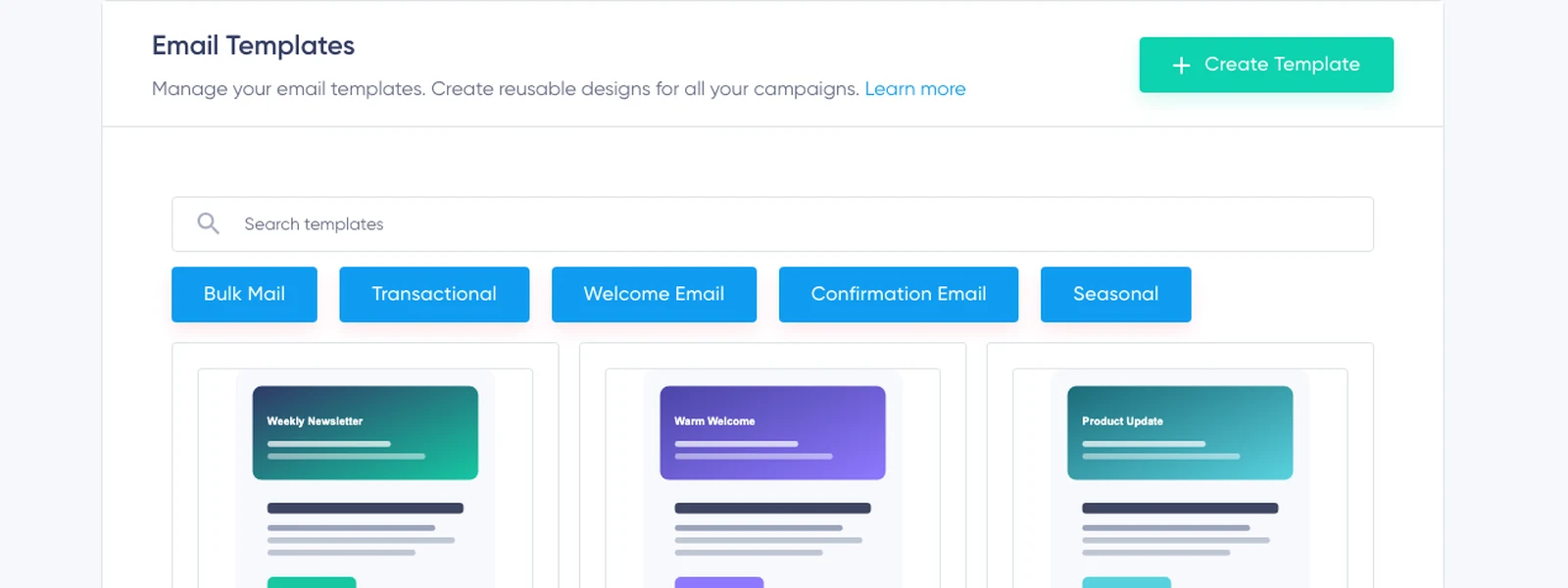
See the starting points before you choose
Choose a starting point that matches the message. Preview current designs for:
Recurring newsletter
The issue you send again and again.
Product or service announcement
News that deserves its own send.
Welcome email
The first impression after signup.
Double Opt-in confirmation
The email that earns the confirmed signup.
Automation follow-up
The next step in an automated journey.
Transactional update
Receipts, notices, and service messages.
The gallery is the proof. Visitors should be able to judge the available structures before being asked to start an account.
A good template removes decisions—not flexibility
The value is not placeholder copy. It is that the structure, spacing, hierarchy, and recurring brand choices are already far enough along for you to focus on the message. Choose the design that fits the job, replace the content, and move toward send without rebuilding the same header, sections, and call to action.
Change the content without rebuilding the structure
Open a template in the visual editor, replace copy and images, rearrange sections, and refine the desktop and mobile layouts. The template carries the reusable foundation; the editor handles detailed design, image preparation, responsive adjustments, and HTML or CSS when needed.
Explore the Email Editor →Turn a successful email into the next starting point
A useful layout should not be trapped inside one campaign. Save an email as a reusable template and use it as the foundation for the next newsletter, welcome message, Automation email, or transactional update. Name and organize the designs so the right starting point stays easy to find.
The more often you communicate, the less often you should solve the same design problem again.
Keep the brand consistent without freezing every email
Templates work with global appearance choices and the shared Footer Style. Reuse typography, colors, buttons, spacing, and footer decisions that should stay familiar while allowing every message to change with its purpose.
Responsive is the starting point. The real content still needs review.
Templates provide responsive structure and can be reviewed in desktop and mobile previews. After replacing the sample copy and images, check both versions and make content-specific adjustments in the editor.
Every template feature is included in Free
The ready-made library, custom templates, duplication, previews, organization, responsive editor, and Footer Style settings are included on every plan.
Choose a Template and Start FreeFrequently asked questions
Can I change a Maildroppa template?
Yes. Templates are starting points. Change the copy, images, blocks, layout, spacing, colors, typography, and other design details.
Can I create my own reusable template?
Yes. Save a design you want to use again so future emails can begin with your own structure and branding.
Are templates only for newsletters?
No. Use them for campaigns, Automations, signup messages, confirmation emails, and transactional email.
Do templates work on mobile devices?
They provide responsive structure and desktop and mobile previews. Review both versions after adding your final content.
Are templates included in the free plan?
Yes. The template and editor workflow is included on every plan.
The next email does not need to start empty
Choose a useful starting point, make it yours, and save the result for the messages that follow.