Contents
the email tool that makes email marketing simple


Create and Manage Your API Key
Published: · Last updated: · By Marcus Biel
In brief
Learn how to create, copy, use, reset, rotate, and delete your Maildroppa API key securely for server-side integrations and API automations.
The API Key page gives an external system authenticated access to the supported Maildroppa API endpoints in your account.
You can create one API key, copy its complete secret value, reset it safely by rotating it, or delete it when it is no longer needed. The same account key can be used by server-side integrations and by API request triggers in Maildroppa Automations.
An API key represents your Maildroppa account. Treat it like a password: anyone who obtains the key can call the API endpoints available to that key until you rotate or delete it.
What the API Key Is For
Use the API key when software outside Maildroppa needs to work with Maildroppa without an interactive user login.
Typical examples include:
- Synchronizing subscribers with a CRM, shop, membership system, or internal database.
- Creating or updating subscribers from a server-side application.
- Reading or managing tags, fields, field values, and segments through supported endpoints.
- Sending custom events to an API request trigger in an Automation.
- Sending transactional Email Messages through the API.
- Managing API-based webhook subscriptions.
The API key is intended for server-to-server communication. It is not intended for code that runs in a visitor's browser, a public website, a mobile application, or an embedded signup form.
The page is currently marked “beta”. Use the linked OpenAPI documentation as the source for the endpoints, request bodies, parameters, and response schemas currently supported by the API.
Opening the API Key Page
Open “Settings”, expand “Developers”, and select “API key”.
You can also open the page directly at:
https://app.maildroppa.com/settings/developers/api-key
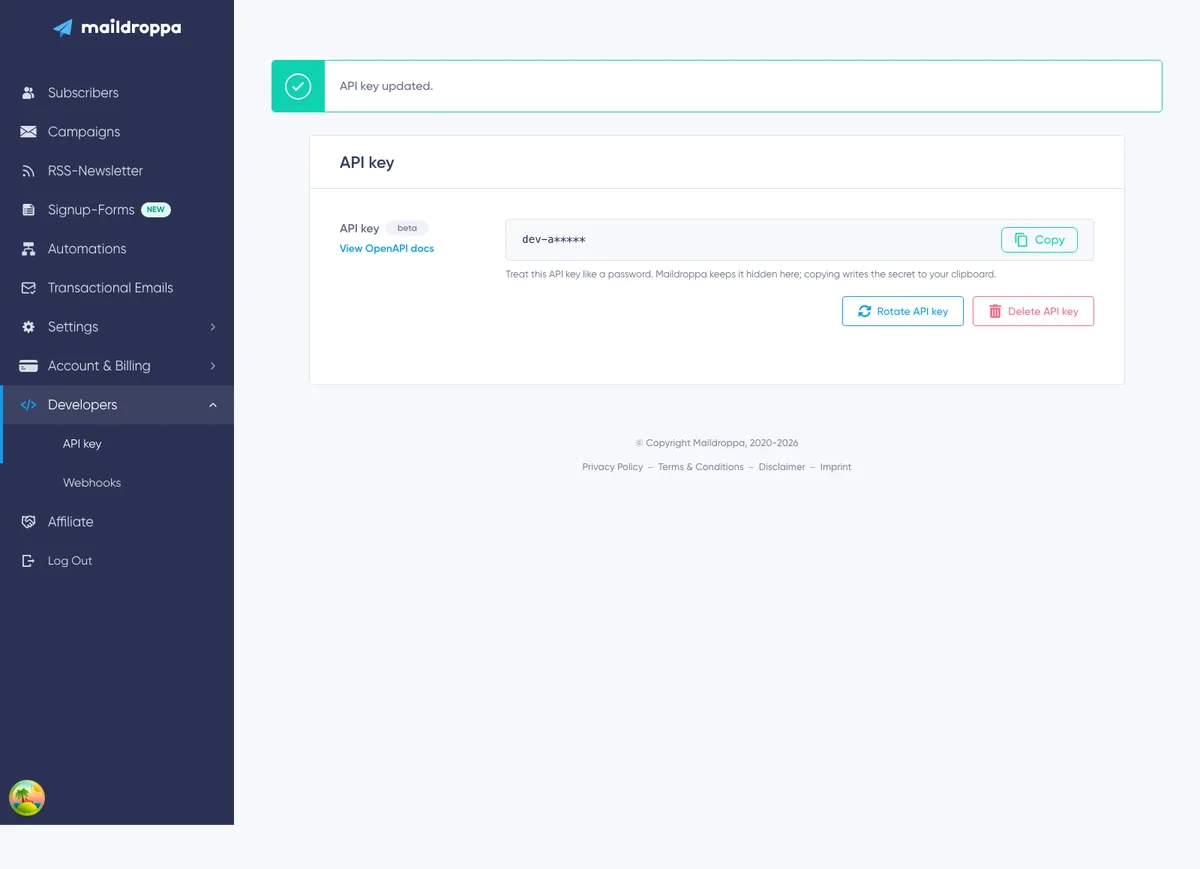
The page contains:
- An API key panel with a beta badge.
- A “View OpenAPI docs” link.
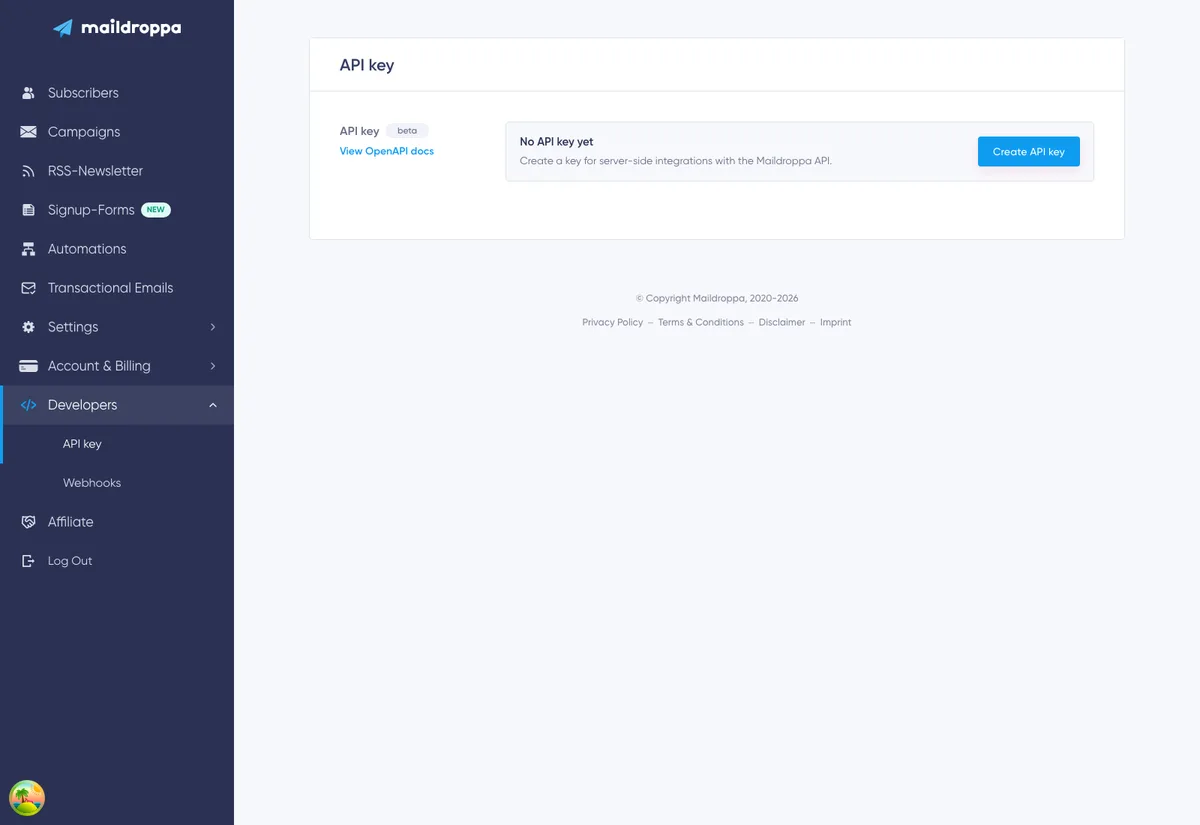
- An empty state and “Create API key” button when no key exists.
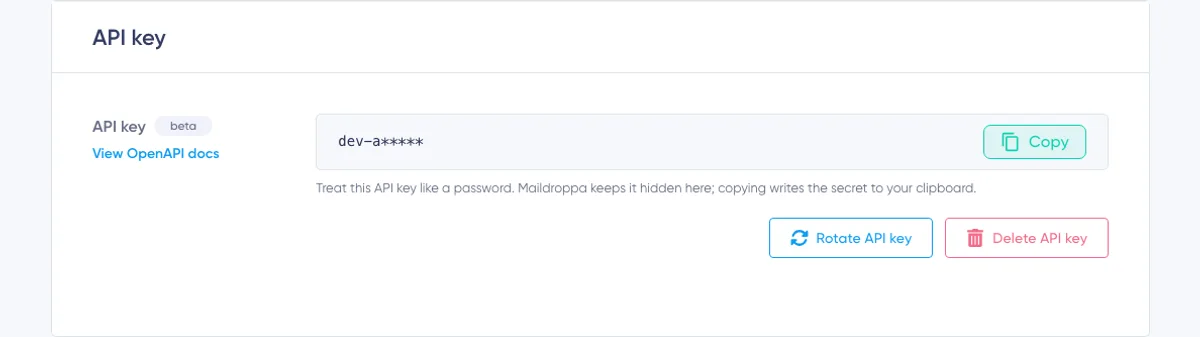
- A masked representation of the current key when one exists.
- A “Copy” button that copies the complete key.
- “Rotate API key” and “Delete API key” actions for replacing or removing the current key.
Maildroppa allows one API key per account. The page does not create separate keys for individual applications, environments, or team members.
Creating an API Key
When the page displays “No API key yet”, click “Create API key”.
Maildroppa creates the key immediately. There is no confirmation dialog for this first creation. While the request is running, the button changes to “Creating API key” and the page temporarily disables further key actions.
After the key has been created:
- The empty state disappears.
- A masked key appears.
- “Copy”, “Rotate API key”, and “Delete API key” actions become available.
- Maildroppa displays an “API key updated” success message.
If another key already exists for the account, Maildroppa does not create a second one. Use the existing key or rotate it.
Understanding the Masked Key
The page does not print the complete secret as ordinary text. It shows the first five characters followed by five asterisks, for example:
a1b2c*****
This is only a visual mask. The asterisks do not represent the key's real length, and the masked value cannot be used for an API request.
Click “Copy” to write the complete current key to your clipboard. After a successful copy, the button briefly changes to “Copied!”.
The key remains masked when you return to the page, but “Copy” continues to copy the complete current value. You therefore do not need to rotate a valid key merely because you did not save it during creation.
Storing the Key Safely
Move the copied key directly into the secret storage used by the integration.
Suitable locations include:
- A managed secret manager.
- Protected server environment configuration.
- An encrypted deployment secret.
- A password manager used for operational recovery.
Do not store the key in:
- Browser-side JavaScript or another downloadable frontend bundle.
- A public or private source-code file committed to a repository.
- A URL or query parameter.
- Public documentation, screenshots, support messages, or issue trackers.
- Shared application logs, analytics events, or error reports.
- An unencrypted spreadsheet or ordinary team chat.
Do not add the key to a curl example that will be copied into documentation or shell history shared with other people. Prefer an environment variable such as MAILDROPPA_API_KEY.
Using the API Key
Send the complete key in the X-API-Key HTTP request header:
X-API-Key: your-complete-api-key
Do not send it as a Bearer token. Maildroppa expects X-API-Key, not Authorization: Bearer ....
The production API and its interactive OpenAPI documentation are available at:
Click “View OpenAPI docs” on the API Key page to open the documentation in a new browser tab. Select an endpoint there to review its method, path, parameters, request body, response type, and possible status codes.
Example Request
The following example retrieves the first page of subscribers. It reads the key from an environment variable instead of placing the secret directly in the command:
curl --request GET \
  --url 'https://api.maildroppa.com/subscribers?pageNumber=1' \
  --header 'Accept: application/json' \
  --header "X-API-Key: ${MAILDROPPA_API_KEY}"
Set the variable in the secure environment in which the integration runs. The exact method, path, query parameters, and body depend on the endpoint. Copy those details from the OpenAPI documentation rather than guessing them from actions available in the Maildroppa application.
Requests with JSON Bodies
For a request that sends JSON, also include:
Content-Type: application/json
For example, the basic structure is:
curl --request POST \
  --url 'https://api.maildroppa.com/example-endpoint' \
  --header 'Accept: application/json' \
  --header 'Content-Type: application/json' \
  --header "X-API-Key: ${MAILDROPPA_API_KEY}" \
  --data '{"example":"value"}'
/example-endpoint and its body are placeholders. Replace them with a documented endpoint and its documented request schema.
What the Key Can Access
The key works only with endpoints that support API-key authentication. A page or request used internally by the Maildroppa application is not automatically part of the public customer API.
The OpenAPI documentation shows the supported customer API. If a path is not documented for API-key use, do not assume that the key can access it.
The API Key page does not offer scopes or per-endpoint permission checkboxes. The current account key therefore needs to be handled as a high-value credential even if one integration uses only a single endpoint.
Rate Limits
The current OpenAPI contract documents these API-key limits:
- Default customer API: 300 requests per minute and 2,000 requests per hour.
- Events API at
/events: 100 requests per second with a burst capacity of 500 requests.
These limits are applied to the Maildroppa account, not independently to every script that shares its key. Several integrations can therefore consume the same allowance.
When Maildroppa returns 429 Too Many Requests, stop sending new requests and honor the Retry-After response header when it is present. Use a queue and controlled backoff instead of starting many parallel retries.
Rate-limit policies can evolve while the API is in beta. Check the information at the top of the OpenAPI documentation before designing high-volume integrations.
Using the Key for Automation API Requests
An Automation can start when your system sends a custom event to Maildroppa's Events API.
When you configure an “API request” trigger, Maildroppa uses the same account API key managed on this page. The trigger setup can create the key when none exists and can copy a prepared curl request containing the complete key.
This has two important consequences:
- Rotating or deleting the account key also affects systems that send custom events to Automations.
- A copied Automation request example contains the secret in the clipboard even though the key is masked on screen.
Before rotating or deleting the key, include every API request trigger and every external event sender in your integration inventory.
Resetting or Replacing the API Key
Use “Rotate API key” when you need to reset or replace the current credential. Maildroppa creates a new key and invalidates the previous key as part of the same action.
Use rotation when:
- The key may have been exposed.
- A person or provider that knew the key no longer needs access.
- Your security policy requires periodic credential replacement.
- You want to replace a key stored in an old or insecure location.
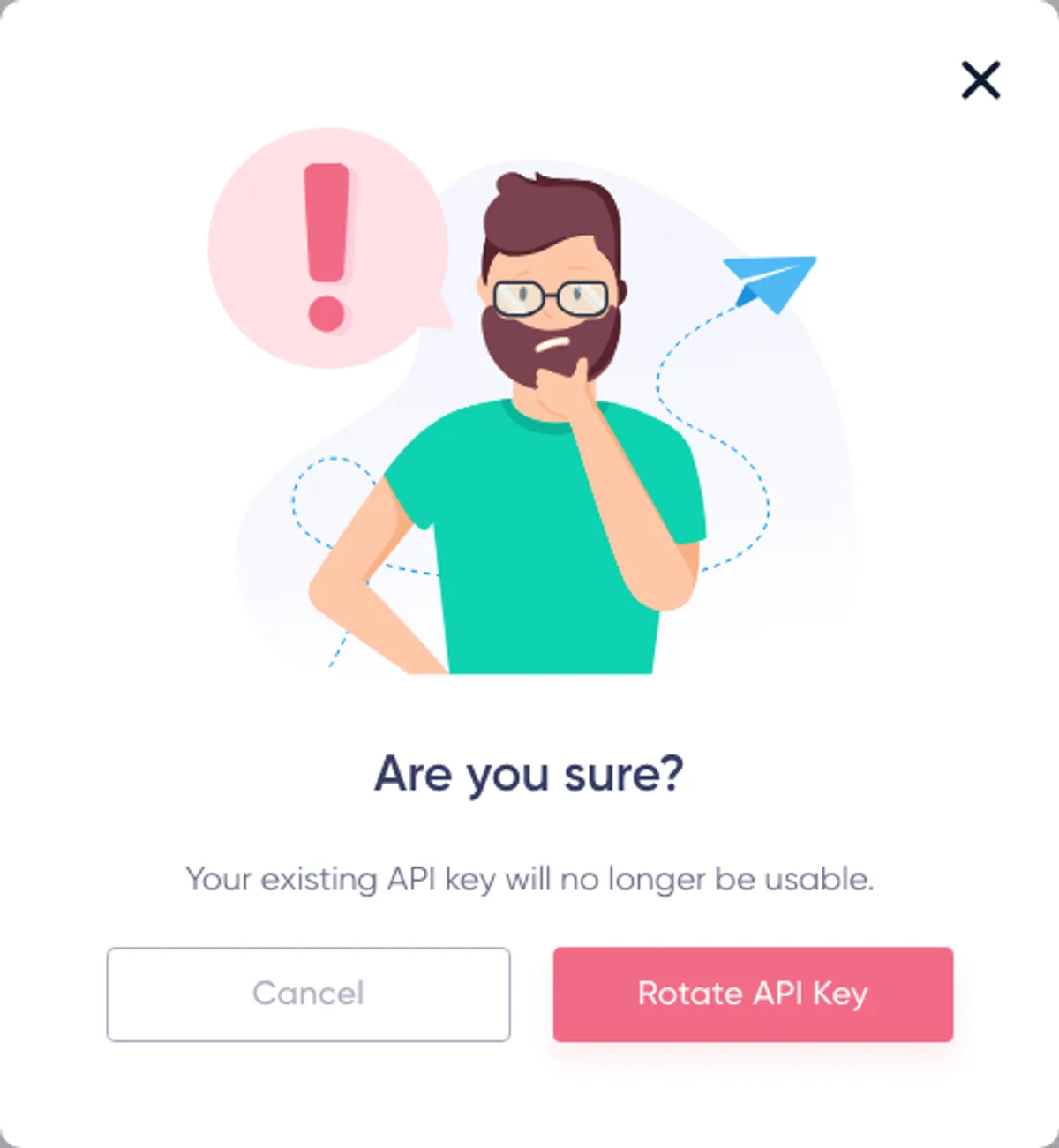
Click “Rotate API key” below the masked key. Maildroppa opens a warning dialog explaining that the existing key will no longer be usable.
Click “Rotate API key” in the dialog to continue, or click “Cancel” to keep the current key.
Rotation Has No Grace Period
After you confirm rotation, the old key stops working immediately. Maildroppa does not keep the old and new keys valid at the same time.
Because the account has only one key, rotation affects every server, scheduled job, integration, script, and Automation event sender that uses it.
Use this sequence for a planned rotation:
- List every integration that uses the current key.
- Prepare access to each integration's secret configuration and deployment process.
- Choose a short maintenance window if uninterrupted API access is important.
- Click “Rotate API key”, then confirm the warning with “Rotate API key” in the dialog.
- Click “Copy” to copy the complete new key.
- Replace the secret in every integration immediately.
- Restart or redeploy services that load secrets only during startup.
- Send a harmless documented request to verify each integration.
- Check for
401 Unauthorizedresponses from a forgotten service still using the old key.
If the current key is believed to be compromised, rotate it immediately and accept the short interruption required to update legitimate systems.
Deleting the API Key
Delete the key when the account should no longer accept API-key-authenticated requests.
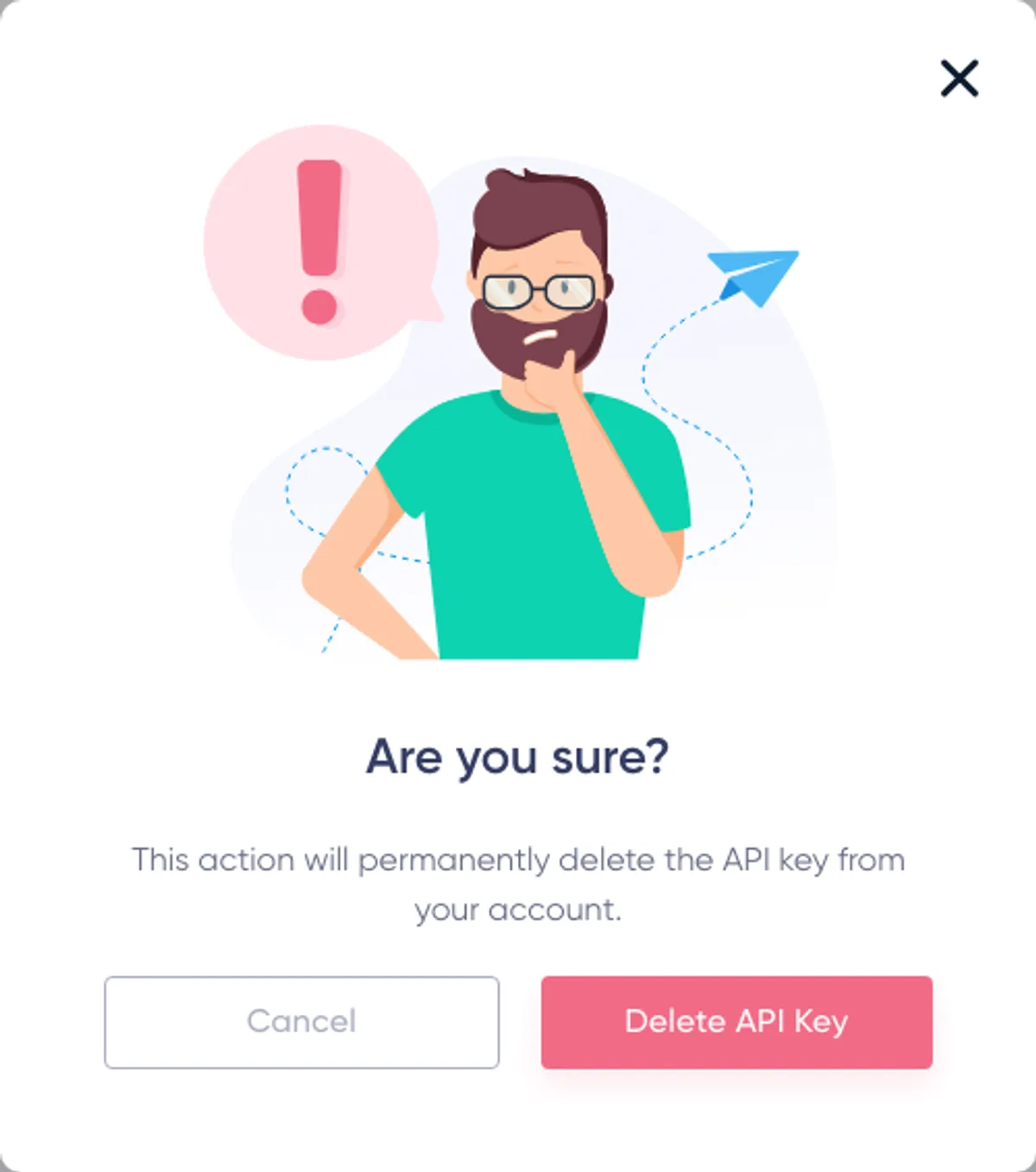
Click “Delete API key” below the masked key. Maildroppa opens a warning dialog explaining that the key will be permanently removed from the account.
Click “Delete API key” in the dialog to delete it, or click “Cancel” to keep it.
After deletion:
- The current key stops working immediately.
- The page returns to the “No API key yet” state.
- Server integrations using the deleted key can no longer authenticate.
- Automation API request senders using that key can no longer deliver events.
Deleting a key does not delete subscribers, campaigns, tags, fields, segments, Automations, or other account data. It removes the credential used to access supported API endpoints.
You can click “Create API key” later to create a new credential. The deleted value is not restored. Every integration must be updated before it can use the new key.
Resetting or Deleting: Which Should You Choose?
Choose “Rotate API key” when API access should continue with a new credential.
Choose deletion when API access should stop completely, at least for now.
Both actions invalidate the current key immediately. Rotation creates the replacement as part of the same action; deletion leaves the account without a key.
Security Recommendations
Keep API Calls on Your Server
A browser or mobile app cannot reliably keep an embedded secret. A user can inspect the application, request headers, source maps, or network traffic and extract the key.
If a website or app needs to trigger an action, send the request to your own authenticated backend first. Let that backend validate the user and call Maildroppa with the key stored on the server.
Use the Least Exposure Possible
Give the key only to systems that need it. Do not distribute it to every developer or paste it into multiple local configuration files.
Because the page currently manages one account-wide key rather than multiple named or scoped keys, use an internal integration service or proxy if several applications need stronger isolation from one another.
Redact Request Headers
Configure HTTP clients, reverse proxies, observability tools, and error reporters to redact X-API-Key. A request can work correctly while still leaking its credential through debug logging.
Keep Separate Environments Separate
Do not reuse a production key in local development, sample code, screenshots, or test fixtures. Store environment-specific secrets in environment-specific secret stores.
The “View OpenAPI docs” link automatically points production users to the production API documentation. Always verify the hostname before sending a real key.
Rotate After Any Suspected Exposure
Deleting a message, repository commit, log line, or screenshot does not prove that nobody copied the key. If the complete value was exposed, rotate it.
Handling API Errors
Use the HTTP status and documented response body to decide what the integration should do.
Common cases include:
400 Bad Request— The path, parameter, or JSON body does not satisfy the endpoint contract. Compare the request with the OpenAPI schema.401 Unauthorized— TheX-API-Keyheader is missing, blank, invalid, deleted, or contains an old value after rotation.403 Forbidden— The authenticated key is not allowed to use that operation.404 Not Found— The path or referenced resource does not exist in this account.429 Too Many Requests— The integration has reached an API rate limit. Pause requests and honor theRetry-Afterheader when it is present.5xx— Maildroppa could not complete the request. Retry safe operations with bounded exponential backoff and logging that excludes the API key.
Do not retry every failure blindly. Correct 400, 401, 403, and most 404 responses before sending the same request again.
For mutating requests, confirm the endpoint's retry and idempotency behavior before automatically repeating a request. A connection failure does not always prove that Maildroppa made no change.
Troubleshooting
“Create API key” Is Still Visible
No key currently exists in the account. Click the button once and wait for the request to finish.
If creation fails, reload the page before trying again. Another page or Automation setup may already have created the account key.
The Key on the Page Looks Too Short
The page intentionally shows only the first five characters and *****. Click “Copy” to copy the complete value. Do not send the masked text in a request.
“Copy” Does Not Change to “Copied!”
The browser may have blocked clipboard access. Keep the page in the active tab, allow clipboard access if prompted, and click “Copy” again.
Do not try to reconstruct the key from the masked text.
A Request Returns 401 Unauthorized
Check that:
- The header name is exactly
X-API-Key. - The header contains the complete value, without the visible asterisks.
- The integration is not sending
Authorization: Bearerinstead. - Whitespace, quotation marks, or a newline were not added to the secret.
- Nobody rotated or deleted the account key.
- A service was restarted if it reads environment variables only at startup.
- The request is sent to the correct Maildroppa API environment.
One Integration Works but Another Stopped After Rotation
The second integration is probably still using the old key. There is no overlap period. Update its secret and restart any process that caches configuration.
The OpenAPI Page Works but an Endpoint Returns 403
Not every application endpoint supports API-key authentication. Use an operation documented for the customer API and confirm its authentication requirements in the OpenAPI page.
Requests Return 429 Too Many Requests
Reduce request bursts, queue work, and retry after the delay returned by the API. Avoid parallel retry storms. If several applications share the one account key, coordinate their request volume because they share the account's API limits.
Recommended Setup Checklist
Before putting an integration into regular use, confirm that:
- The key is stored only in server-side secret configuration.
- Requests use the
X-API-Keyheader. - The integration uses
https://api.maildroppa.comin production. - Every method, path, parameter, and JSON body follows the OpenAPI documentation.
- Logs and error reports redact the key.
- Timeouts and bounded retries are configured.
401,403,429, and server errors are monitored.- The owner of the integration is recorded.
- Every system that shares the account key is included in the rotation plan.
- A compromised key can be rotated quickly.
The API Key page is deliberately small, but its actions affect every API integration connected to the account. Create the key only when it is needed, keep it on trusted servers, and plan rotation as an account-wide credential change.
Ready to Send Better Emails?
Stop juggling bloated tools or overpriced plans. Maildroppa offers personal support, privacy-conscious controls, and powerful email marketing - starting free forever.
No credit card required. No time limit.